Add support for a1111 metadata from commonly used extensions
As of now if you use stuff like additional networks or adetailer the image preview doesn't show those settings. You can copy the generation data and see them there, but it would be cool if you could see them on the image preview
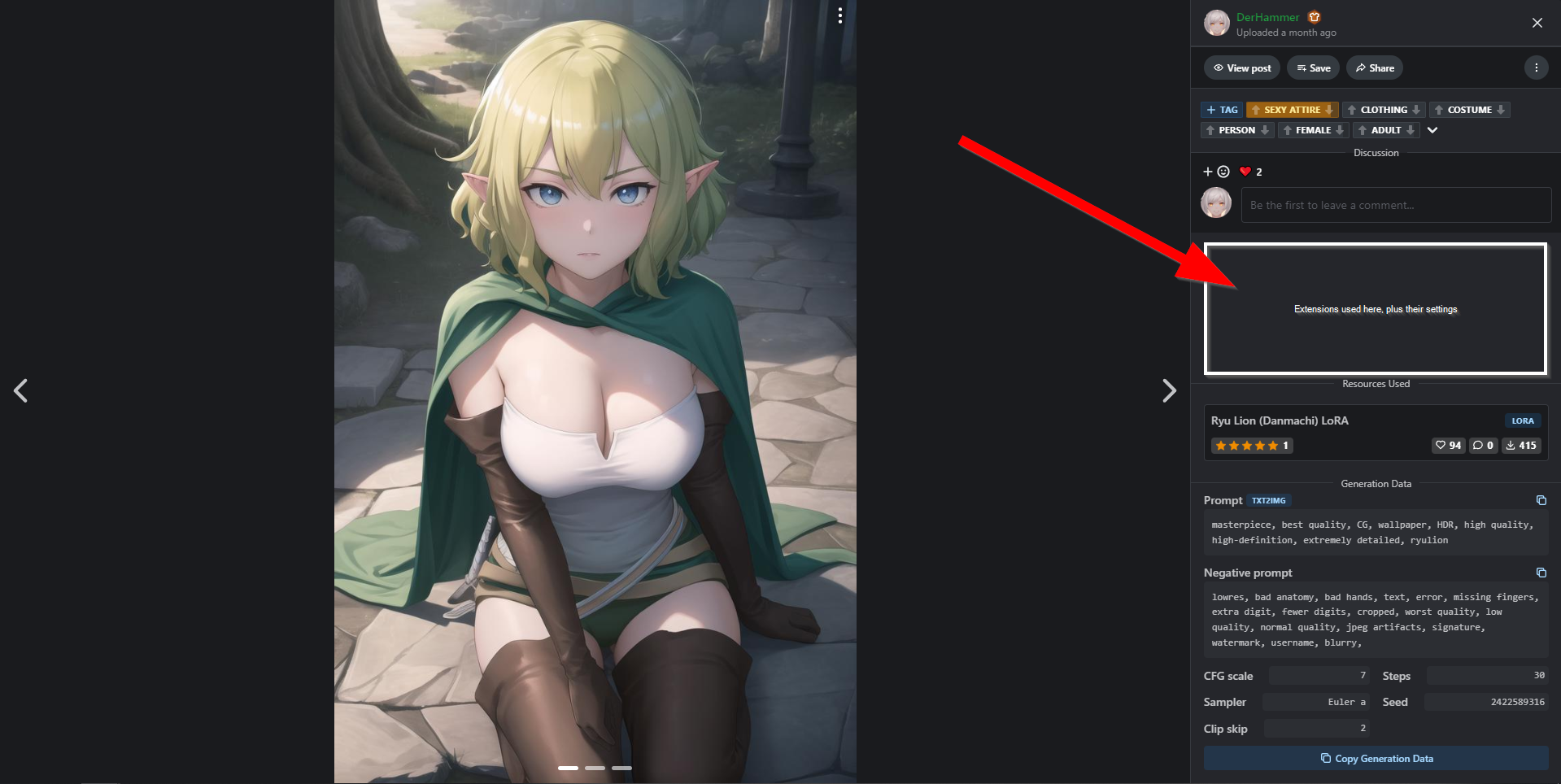
If you look in the image data you can see all the details there:
masterpiece, best quality, CG, wallpaper, HDR, high quality, high-definition, extremely detailed, ryulion
Negative prompt: lowres, bad anatomy, bad hands, text, error, missing fingers, extra digit, fewer digits, cropped, worst quality, low quality, normal quality, jpeg artifacts, signature, watermark, username, blurry,
Steps: 30, Size: 512x768, Seed: 2422589316, Version: v1.5.1, Sampler: Euler a, CFG scale: 7, Clip skip: 2, Model hash: 8a1971ba3d, Hires upscale: 1.5, AddNet Enabled: True, AddNet Model 1: Ryu Lion-000016(d2c2888ae1fb), Hires upscaler: 4x-AnimeSharp, AddNet Module 1: LoRA, AddNet Weight A 1: 1, AddNet Weight B 1: 1, Denoising strength: 0.4
This helps others to figure out to exactly reproduce the shown image without having to look at the text. I have seen people ask for the exact way in the comments of some LoRA before, and this would be a nice way to prevent that.
Please authenticate to join the conversation.
Awaiting Dev Review
💡 Feature Request
Over 2 years ago

DerHammer
Subscribe to post
Get notified by email when there are changes.
Awaiting Dev Review
💡 Feature Request
Over 2 years ago
DerHammer
Subscribe to post
Get notified by email when there are changes.